
Your Android phone has a GPS location feature that allows in things like navigation, right?
But for many users, this feature sometimes creates a headache and they want to use some fake GPS location.
The reason can be anything like you want to access some app or service that is not available in your area or in your country.
In fact, many times you don’t want to get tracked and want to hide your privacy completely. So there can be several reasons for using fake GPS feature but have you imagined how it will be possible?
Don’t worry; there are different tricks to fake GPS on Android without mock location. But you might think how?
Generally, to access other apps or services on Android phone, many times you need to root your device. But nowadays, there are lots of apps available that will help you to change GPS location and that too without rooting your phone.
So here in this blog, I am going to discuss a few useful apps that will help you to fake GPS location on Android without root access and your privacy will be completely yours.
How To Fake GPS On Android Without Mock Location Without Root?
So here you are going to get some of the best apps for fake Android location without rooting available on Google Play Store for free. After installing the apps, you have to enable “Allow Mock Locations” on Android phone.
So let’s walk through the apps to fake GPS Android without mock location or bypass mock location detection.
Floater- Fake GPS Location
First, you have to install Floater: Fake GPS Location app on your Android phone.
Now ensure you have enabled Developer Option on your phone and if not then do it by following the below steps and fake GPS app without mock location:
- First, open Settings on your phone
- Then move down and click on “About Phone”
- Now click on “Build Number” and click seven times to enable Developer Options
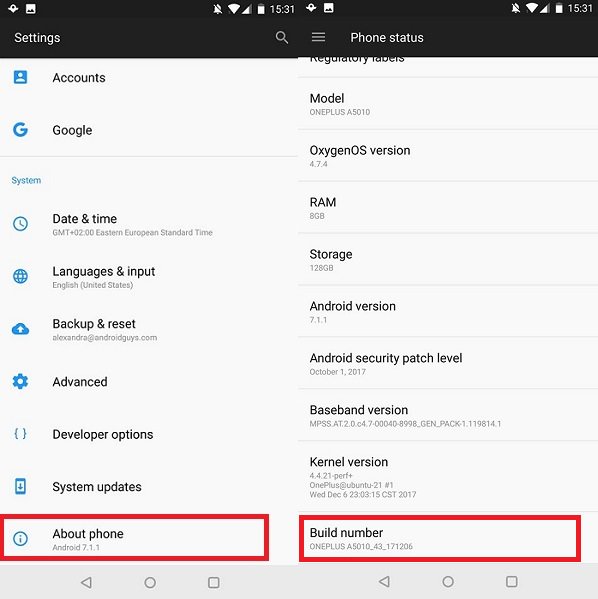
After this, do the following:
- Move down to “select mock location app”
- Then choose “Floater”
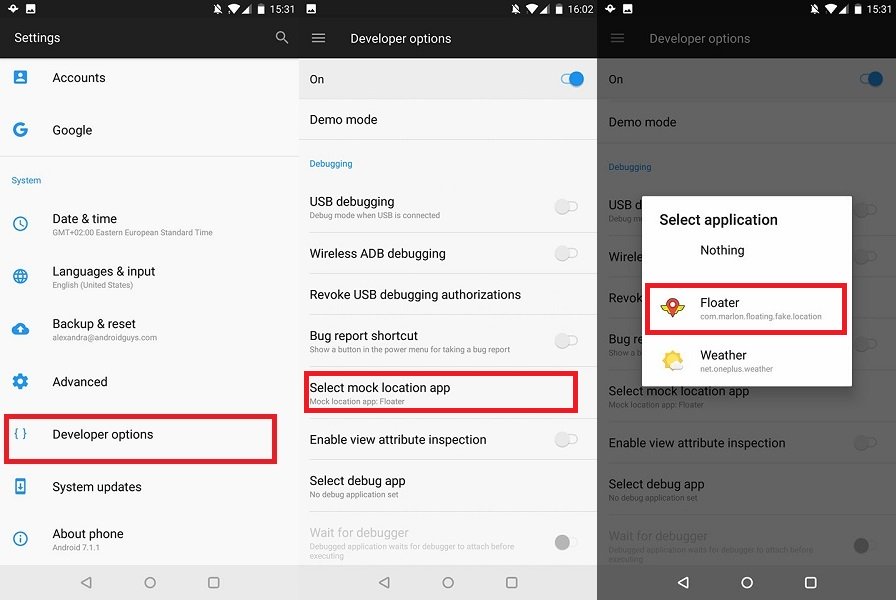
When you are done, check the Personal menu in Settings option
- First, click on Location
- Then choose Mode
- Click on “Device Only” option. This is to avoid phone from using other location sources like cell network or Wi-Fi
- After that, click on three-dot menu > choose “Scanning”
- Now disable both option of “Wi-Fi Scanning” and “Bluetooth Scanning” just to ensure your device don’t use any other source to track location

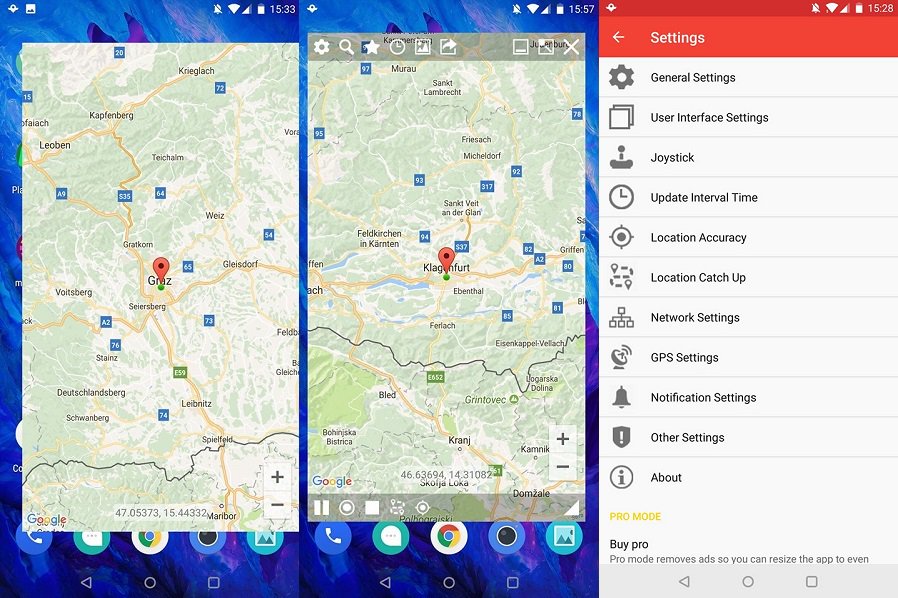
Once the steps are done, open Floater on Android and then follow the below steps to fake GPS without mock location:
- Choose a location that you want to fake GPS on Android
- Now click on target bottom to search location manually or can use magnifying glass option to search
- Set your location and click on play button at bottom left
- And doing this, your location is spoofed to new location you have set
- When you want to stop, just click on pause button
Fake Location (Mock GPS)
In the list of fake GPS location, another useful app is Fake Location (Mock GPS). This works almost similar to Google Maps and you can fool anyone into believing where you are.
Talking about the features of this app then it is similar to Google Maps except the appearance. This is easy to use and people will believe the location you set for others to track.
This is a handy app that is available free in Google Play Store and compatible with Android devices running on Android 4.3 OS and above.

Fake GPS Location- Hola
Another compatible and best app that will help you to fake GPS location Android is Fake GPS location – Hola. This app has refined user interface and it can really benefit users.
Hola is generally known for VPN services and there is no need to think about whether developers have GPS spoofing app or not. According to developers, this app is used to break geo-restrictions that come through several apps.
Simply download this app from Play Store and choose the location that you want. The app is freely available for users but remember to disable high accuracy GPS positioning from Settings and only allow “GPS Only” or “Phone Only” option.
If any app restriction message popups then make sure you allow the restriction as there might be an issue for using fake GPS on Android phone due to some apps.
Fake GPS Location
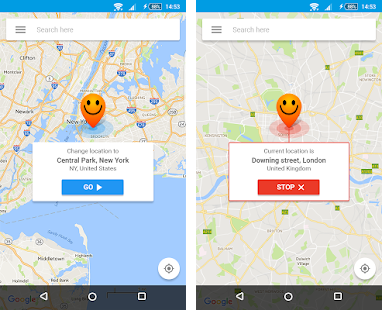
This is yet another useful app that will help users to fake GPS without mock location. It has several features that let you switch your GPS location without any difficulty.
Fake GPS location app is useful for those users who want to hide their location from others or just want to access any app that is not available in your country. The app is easy to install and after you search for location; your GPS will switch to that particular location automatically.
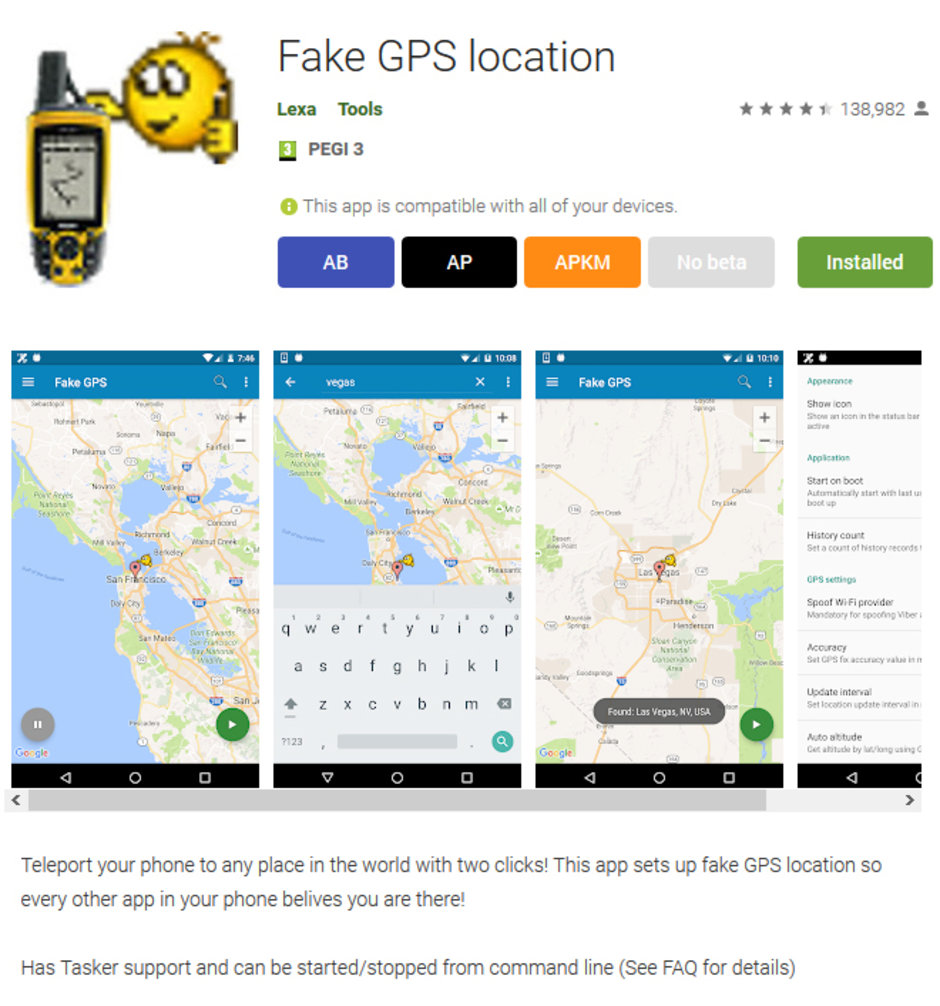
The best part of this app is you don’t have to root your Android device to fake GPS without Google play services.
- After you install the app, open the app. Here you will be asked to go to Developer option and set as mock location.
- After enabling Developer options, check “Mock Location app” and click on it. Then choose “Fake GPS by Lexa” and now you are all done.
Mock GPS With Joystick
If you are looking for well-refined and polished fake GPS app then don’t forget to install Mock GPS with joystick. This is a convenient app that allows selecting the location you want without doing much.
Remember, to use this app you have to set device location to High Accuracy so that you can get better results. If you want to change the location instantly then a joystick is available on screen to help you out.
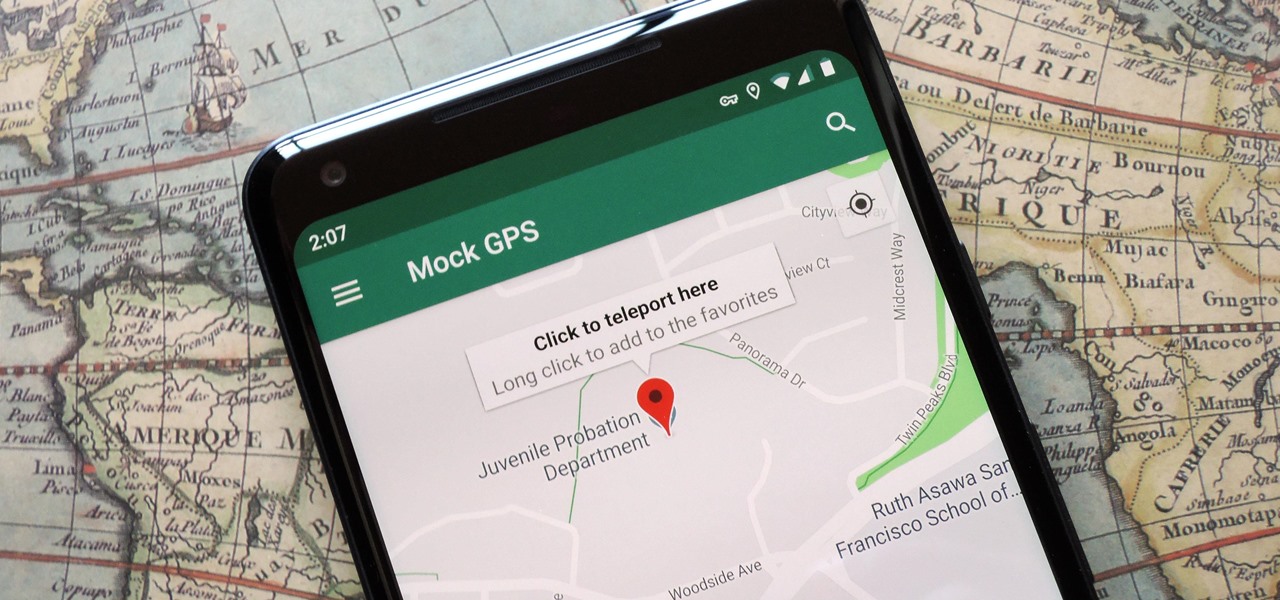
The app has good response from users end and best part is you don’t have to root your device to use this app. You can use this app if your phone is running on Android 4.0 or above to fake GPS on Android.
This is simply the best of what you are actually looking for and will give you the best results for an undetectable mock location app.
How To Use VPN For Fake Android Location
Here are the steps that would help you on how to fake GPS location on Android without root. Many users can take help of VPN to change the location as other apps do.
- First, go to Google Play Store and select suitable VPN provider that is compatible with your phone
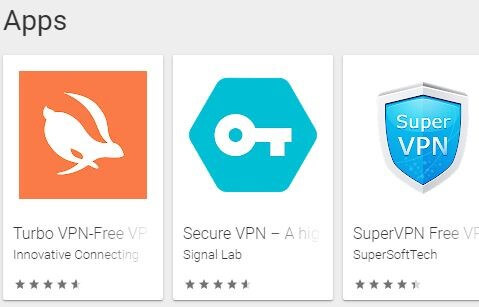
- Now follow the Wizard and install VPN Provider
- After that, open “VPN location Changer” app

You will see three tabs in the above screenshot that displays “Recommended, All, and Favorites” option. All these tabs display the country’s names in well-organized format.
From here, you have to select the country you want and then connect to respective VPN. After this, your original IP address will be masked and then your device will appear in selected region where new IP address is generated.
Frequently Asked Questions:
How To Use Fake GPS Without Mock Location?
In order to fake GPS without mock location on Android, you have to use some of the best apps for fake Android location available on Google Play Store for free.
Should I Enable or Disable Location Services?
From time to time, you may enable Location services but what if you forget to disable it? Though if you leave Location services enabled, the applications on your device will access your current location via Wi-Fi, GPS, networks, or etc. Hence, if you currently do not need location services then it is suggested to turn it off.
How Do I Enable Developer Options On Fake GPS?
If you want to enable developers option on fake GPS then you have to go to the Settings > tap on Additional Settings. After that, find & click on Developer Options then choose the Mock Location Application > choose any fake GPS app from there.
Conclusion
So as you have seen that I have discussed several apps that will help to fake GPS on Android without mock location. Now it’s easy to change the location of your own and can set it of anywhere without any worry.
Now, whether you want to access other apps or want to hide privacy, it completely depends on you. There are several useful apps that don’t need any root and can be easily downloaded from Play store for free.
Further, you can visit our Facebook, and Twitter pages.

James Leak is a technology expert and lives in New York. Previously, he was working on Symbian OS and was trying to solve many issues related to it. From childhood, he was very much interested in technology field and loves to write blogs related to Android and other OS. So he maintained that and currently, James is working for androiddata-recovery.com where he contribute several articles about errors/issues or data loss situation related to Android. He keeps daily updates on news or rumors or what is happening in this new technology world. Apart from blogging, he loves to travel, play games and reading books.