
Nowadays, most websites or apps display ads to generate revenue. However, these ads are very annoying for users as it ruins their overall experience. So, if you are also one of those annoyed users and want to get rid of them, read this article to know the best ad blocker for Android to remove ads.
Well, no one likes seeing irrelevant and annoying advertisements while web browsing, video watching, or enjoying games. So, go through this post and use one of the mentioned ad blockers to block unwanted ads.
Why Use Ad Blocker on Android?
There are several reasons why you might want to use an ad blocker on your Android device:
- Improved browsing experience: Advertisements can be distracting and disruptive, and they can slow down page loading times. By using an ad blocker, you can enjoy a faster, cleaner browsing experience without the annoyance of ads.
- Privacy protection: Many ads track your online activity, which can be a privacy concern. By blocking ads, you can prevent advertisers from collecting data about your browsing habits.
- Reduced data usage: Ads can consume a significant amount of data, particularly if they include images or videos. By blocking ads, you can reduce your data usage and save money on your mobile plan.
- Malware protection: Some ads can contain malicious code that can infect your device with malware. By using an ad blocker, you can reduce the risk of inadvertently clicking on a malicious ad.
- Battery life: Ads can also consume a significant amount of battery life, particularly if they include animations or videos. By blocking ads, you can extend your device’s battery life.
List of Best Ad Blocker For Android
Here in this section, I have listed the 9 best ad blocker apps for Android along with their pros and cons which will help you to choose the best one as per your requirement.
| App Name | Features | Price | Link |
|---|---|---|---|
| AdAway |
|
Open Source & Free Software |
 |
| AdLock |
|
Free trial with limited features. Free (14 days) / Premium Year – $11 Lifetime – $27.
|
|
| AdGuard |
|
Free trial with limited features Yearly- $24.99 |
|
| Blokada |
|
Free Availability. |
|
| AdClear |
|
Free Availability. |
|
| DNS66 |
|
Open Source & Free Software. |
|
| Disconnect Premium |
|
Paid Monthly- $1.38/device Annually- $50/3 devices
|
|
| Surfshark CleanWeb |
|
7 days Free trial
Monthly – $2.30 30-day Money back guarantee. |
|
| Atlas VPN SafeBrowse |
|
VPN Service has a free version. Monthly- USD 1.82 30-day Money back guarantee. |
|
1: AdAway

- Latest Version: 5.6.0
- Version Requires: Android 8.0 +
- Size: 13 MB
- Website: adaway.org
- License: Free
AdAway is a powerful open-source ad blocker app available for rooted Android devices. It uses the host file to block hostnames serving ads. When an application request ads, this app sends all request to localhost.
On Android phones, host files are saved in a read-only partition system for which root access is required in order to access the AdAway application.
Features
- AdAway app is compatible with Android 2.1 and higher.
- Select host file from your Android device.
- You can add websites to blacklist or whitelist.
|
Pros |
|
|
Cons |
|
Download the AdAway app on Android:
AdAway app is not available on Google Play Store. To use this app on your Android device, you have to download it from a third-party website such as the f-droid.org website.
2: AdLock
- Latest Version: 2.1.4.8
- Version Requires: Android 7 +
- Size: 18.42 MB
- Website: adlock.com
- License: Free (14 days) / Premium
AdLock app is a light and power-saving ad blocker that blocks browser and game ads. It has a built-in firewall due to which ad blocking is possible using an HTTP connection.
You can use this app free only for 14 days. After the completion of the free trial, you have to buy this app for a year i.e. $11, or for a lifetime i.e. $27.
Features
- AdLock adblocker blocks video ads, banners, pop-ups, and malware ads.
- It protects your personal data from harmful links, tracing bugs, and spyware.
- AdLock offers parental control features.
- It saves mobile data and extends battery power by removing unwanted content from sites.
|
Pros |
|
|
Cons |
|
Download the AdLock app on Android:
AdLock app is not available on Google Play Store. To use this app on your Android device, you have to download it from its official website adlock.com.
3: AdGuard
- Latest Version: 4.0.54
- Version Requires: Android 8 +
- Size: 34.73 MB
- Website: adguard.com
- License: Free / Premium
AdGuard is another best free ad blocker for Android devices. This app is developed by AdGuard Software Limited. It is available in both free and paid versions for Android.
The free version removes only web browser ads whereas the premium version blocks both web browser as well as in-app ads. You can use AdGuard premium by paying $24.99 per year.
Features
- AdGuard app is compatible with Android 4.0 and higher.
- You can unblock ads by adding sites to the whitelist.
- It allows advanced customization and blocks activity analyzers.
- It includes anti-tracking protection.
- It protects private data while browsing different websites.
- AdGuard premium allows you to manage visible information like saved data, traffic, and ads filtered.
|
Pros |
|
|
Cons |
|
Download the AdGuard app on Android:
AdGuard app is also not available on Google Play Store. To use this app on your Android device, you have to download it from its official website adguard.com.
4: Blokada

- Latest Version: 5.12.0
- Version Requires: Android 7.0 +
- Size: 25 MB
- Website: blokada.org
- License: Free
Blokada is also an open-source non-root ad blocker application. It comes with plenty of stability updates. You can set a blacklist and whitelist to find out which ads to be blocked.
By using this app, you will also get to know about the installed apps and various other websites which are tracking you on your Android phone.
Features
- Blokada blocks ads from both web browsers and applications.
- It protects devices from malicious and unwanted ads.
- This ad blocker allows users to block malicious requests.
- It encrypts DNS queries to strengthen user privacy.
|
Pros |
|
|
Cons |
|
Download Blokada app on Android:
Blokada app is available on Google Play Store. To use this app on your Android device, you can either download it from its official website blokada.org, or download it from the Google Play Store. To download it from Google Play Store, click here.
5: AdClear

- Latest Version: 9.14.1.794-ga
- Version Requires: Android 5.1 +
- Size: 22.42 MB
- Website: adclear.com
- License: Free
AdClear is a free and powerful ad blocker for Android devices. It is developed by Seven Networks. It can block all types of ads such as intrusive, encrypted, and malware appearing on websites or apps.
Features
- AdClear includes advanced protection which allows you to block video ads showing on YouTube or any other related platform.
- You can use your exceptions for those web pages on which you want the ads to appear.
- This adblocker includes Firewall which saves battery power without affecting the loading of web pages.
|
Pros |
|
|
Cons |
|
Download the AdClear app on Android:
AdClear app is not available on Google Play Store. To use this app on your Android device, you have to download it from its official website adclear.com or seven.com.
6: DNS66
- Latest Version: 0.6.8
- Version Requires: Android 5.0 +
- Size: 3.64 MB
- Website: f-droid.org or Third Party Site
- License: Free
DNS66 is a powerful free ad blocker that blocks ads and hostnames by using DNS. It establishes VPN with various routes for DNS servers.
It allows users to enhance ad blocking and privacy by customizing the DNS server. You can configure the host list to deny or allow advanced adblocking.
Features
- DNS66 creates a local VPN on an Android device.
- This adblocker provides a configurable host list.
- You can use the DNS66 ad blocker without root access.
|
Pros |
|
|
Cons |
|
Download the DNS66 app on Android:
DNS66 app is not available on Google Play Store. To use this app on your Android device, you have to download it from a third-party website such as the f-droid.org website.
7: Disconnect Premium
- Latest Version: 3.2.3
- Version Requires: Android 4.4 +
- Size: 10.36 MB
- Website: Third-Party Site
- License: Paid
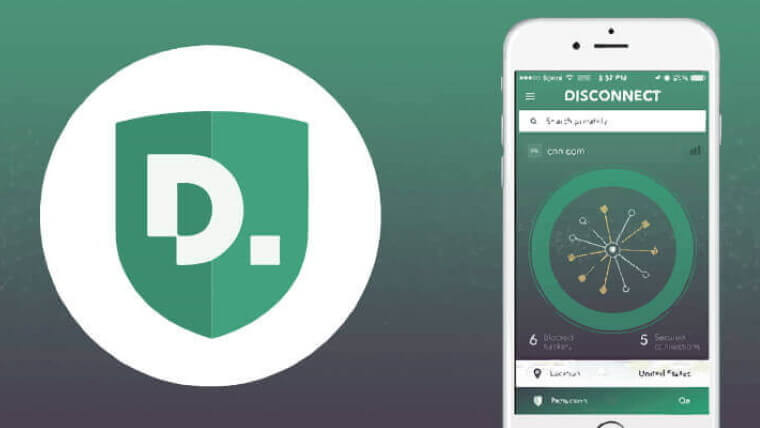
Disconnect Premium is a paid version of ad blocker that blocks both web browser as well as in-app ads. It is a tracker protection and VPN app that blocks advertisements with complete privacy.
You can use Disconnect Premium by paying annually $50 for three devices which are monthly $1.38 for each device.
Features
- Disconnect Premium controls your private data.
- It protects you from malicious content while web browsing.
- Disconnect Premium adblocker provides a VPN service.
- It blocks ads on both the web browser and the app.
|
Pros |
|
|
Cons |
|
Download Disconnect Premium app on Android:
Disconnect Premium app is not available on Google Play Store. To use this app on your Android device, you have to download it from a third-party website such as baixarapk. gratis website.
8: Surfshark CleanWeb

- Latest Version: 2.295
- Version Requires: Android 4.0 +
- Size: 2.65 MB
- Website: surfshark.com
- License: Paid
Surfshark CleanWeb uses advanced techniques to block ads from both the app and the web browser. It also protects your online payments and keeps you safe on public WiFi.
It offers a 7-day free trial along with a 30-day money-back guarantee. Its monthly plan starts from $ 2.30.
Features
- It blocks all types of ads.
- Surfshark CleanWeb allows users to add a host list.
- It provides privacy protection.
- The app saves mobile data and enhances the browsing experience.
- VPN is included.
|
Pros |
|
|
Cons |
|
Download the Surfshark CleanWeb on Android:
You can download Surfshark CleanWeb from Google Play Store. Its official website surfshark.com provides a Play Store link to download NetGuard.
9: Atlas VPN SafeBrowse
- Latest Version: 2.7.1
- Version Requires: Android 4 +
- Size: 44.36 MB
- Website: atlasvpn.com
- License: Free
Atlas VPN SafeBrowse is a free browser extension that offers a range of features to improve your browsing experience and protect your privacy. It blocks all types of ads, including banner ads, pop-ups, and video ads.
Features
- It blocks a wide range of ads.
- Protects your privacy.
- It secures your device from malware attacks.
- SafeBrowse uses HTTPS encryption to secure your browsing activity.
|
Pros |
|
|
Cons |
|
Download the Atlas VPN SafeBrowse on Android:
You can download Atlas VPN SafeBrowse from Google Play Store.
Conclusion
So, these are some of the best Ad Blocker for Android. Now, based on their compatibility, features, pros, and cons select a suitable ad blocker for your Android device and enjoy an ad-free experience.
I hope the post has provided you with enough information about the best ad blockers available for both free and paid. If you have further queries, feel free to ask us on Twitter or Facebook.
Thank You!

James Leak is a technology expert and lives in New York. Previously, he was working on Symbian OS and was trying to solve many issues related to it. From childhood, he was very much interested in technology field and loves to write blogs related to Android and other OS. So he maintained that and currently, James is working for androiddata-recovery.com where he contribute several articles about errors/issues or data loss situation related to Android. He keeps daily updates on news or rumors or what is happening in this new technology world. Apart from blogging, he loves to travel, play games and reading books.