
Wiping your Android phone completely before selling is important for the protection of your personal information. So, if you are planning to sell your Android phone and wondering how to wipe Android phone before selling, just go through this article.
Things to Do Before Selling Your Android Phone
- Remove the external SD card or SIM from the phone before selling it.
- Prepare a complete backup of your Android phone using Google Drive, Dropbox, Google Drive, or OneDrive, or use PC to keep Android phone backup.
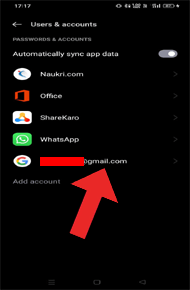
- Unlink or log out from all the other accounts such as email or social media accounts.
- Delete all the saved passwords from the apps and browsers.
- Remove the payment card if any associated with your phone.
- Encrypt your phone. This is optional but is highly recommended for added security. For this, open Settings > go to Security > Encrypt Phone, and then, follow the on-screen instructions.
- Disable Factory Reset Protection On Android.
How To Wipe Android Phone Before Selling?
In order to wipe an Android phone before selling it you need to factory reset your phone. But before that make sure to use Android Data Eraser software to permanently erase all your data from your phone.
Follow the methods mentioned here below.
Performing a factory reset is the official and the most common way to securely wipe Android phone before selling it. But make sure to backup your Android phone data before factory reset. Once you are done backing up your complete Android data, follow the below instructions: But the issue is people can still recover data after factory reset. There are ways to do so as all the information stored on the phone is not completely gone. So, it is recommended to use Android Data Eraser software to permanently erase all the data from the phone and then opt for factory rest. More on this software is described below. Android Phone Eraser is the best software to wipe your Android phone before selling. The software is designed to erase all your Android phone data including photos, videos, files, contacts, messages, and other personal data. It supports all Android devices model and brands. This tool is known for its efficiency of super rendering power and disk clean-up abilities. It is 100% safe and protects your Android data from getting accessed by the new user with just one click. So, download the software on your system and follow its user guide to clean your Android phone completely before selling. Note: It is recommended to download and use the software on your PC or laptop only. If you are a Samsung user and have the Find My Device feature enabled on your phone, you can go for this method to wipe Android data before selling it. Note: [Make sure to backup your Samsung phone data before performing this method.]
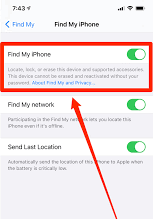
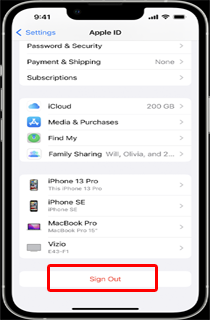
You can also wipe Android phone completely using the Power button. Here are the steps to do so – Note: Make sure your device has enough battery to perform the reset process. Also Read: How to Wipe Android Phone? If you are an iPhone user and are looking for a way to securely wipe your phone data before selling, performing a factory reset is the best method. But, before wiping your iPhone, ensure to back up all your important data, such as photos, files, videos, contacts, documents, etc. You can use iTunes or iCloud to back up your iPhone data. Now, proceed with the following steps to wipe iPhone data: Well, these are some of the ways to wipe your Android data completely before selling. So, try any of the above methods and wipe your Android data. I hope the article has well answered your question about how to wipe Android phone before selling. In case of any further queries or suggestions, feel free to comment or ask us on Twitter. James Leak is a technology expert and lives in New York. Previously, he was working on Symbian OS and was trying to solve many issues related to it. From childhood, he was very much interested in technology field and loves to write blogs related to Android and other OS. So he maintained that and currently, James is working for androiddata-recovery.com where he contribute several articles about errors/issues or data loss situation related to Android. He keeps daily updates on news or rumors or what is happening in this new technology world. Apart from blogging, he loves to travel, play games and reading books.Method 1: Perform Factory Reset


Method 2: Use Android Data Eraser

Method 3: Delete Android Phone Data Remotely [Samsung Users]

How To Wipe Android Phone with Power Button?


How to Wipe Your iPhone Completely Before Selling it?


Conclusion
