
If you have forgotten your iPhone passcode and now wondering how to unlock it without computer then you must use Erase iPhone or Find My iPhone feature of your phone. However, there are other methods also using which you can unlock your iPhone passcode without a computer to access it again. So, read this article thoroughly to know the methods in detail.
How To Recover WiFi Password On Android?

The Android phone lets the users save the WiFi password on the phone so that it can automatically get connected to the same network the next time whenever available. But there are times when users by mistakenly reset the saved network and get stuck with connecting issues because they forgot the WiFi password. So, if you are in the same situation and looking for how to recover WiFi password on Android, scan the Wi-Fi QR code for WiFi password recovery.
How To Unlock Android Phones Using Google Find My Device?

If you have locked your phone using the Find My Device and are now totally clueless about how to unlock using Google Find my device, perform a factory reset using Google Find My Device feature. However, read this article thoroughly for complete information.
Android Broken Screen Data Recovery: Recover Data from Broken Screen Android

If broke your phone and are concerned about the data in it, without any worries use our professional and reliable Android Data Recovery Tool to recover the data from broken screen Android. However, read this entire article to know more methods of Android broken screen data recovery.
11 Ways to Fix WhatsApp Backup Stuck on Android
WhatsApp backup stuck on Android due to various reasons like weak internet connection, outdated version of WhatsApp app, accumulated WhasApp app cache, insufficient storage space on the device, etc. However, the WhatsApp looking for backup stuck Android error can easily be solved by restarting your Android, updating the WhatsApp app, clearing the app cache, and checking the device’s storage space.
How to Auto Delete OTP After 24 Hours?
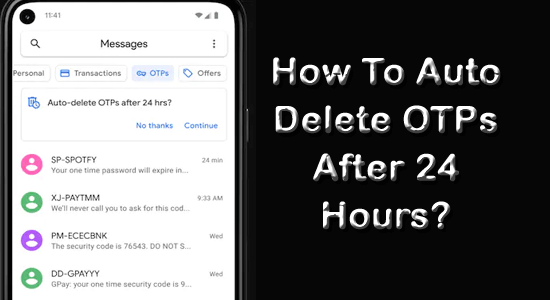
Today for any online banking transactions, purchases, or logging into your account, you receive OTPs (One Time Password) messages. However, in a single day, users perform an end number of such activities and receive lots of OTP messages which overloads their inboxes. So, if you are one of those users whose inbox is flooded with OTP messages and looking for how to auto-delete OTP after 24 hours, use Google Messages to auto-delete them.
3 Ways To Recover Deleted Photos From Google Photos
Today where memories are captured and stored digitally, the loss of any precious photo can be very disheartening. Thanks to Google Photos that not only acts as a secure vault to store our memories but also provides us a second chance to recover accidentally deleted photos that we thought were lost forever.
7 Fixes To Solve Snapchat Filters Keep On Loading

Snapchat filters keep on loading issue occurs when users try to take their snaps using filters and they fail to load. The situation is quite annoying as users won’t able to take their snaps at the moment using different filters. Such a situation can be handled with a stable and strong internet connection as the problem is mainly caused due to slow internet connectivity. However, read this article completely to know other workarounds that you can try to deal with such problems.
How to Fix Audio Delay In Video Android?

If you are facing an audio delay issue while playing videos on Android and wondering how to fix it, then you must read this article. Audio delay in video Android mainly occurs because of corrupt video or video player. So, downloading the video again or reinstalling the video player will help you escape the issue. However, for more workarounds keep reading the article.
5 Fixes For “Downloading Do Not Turn Off Target”- 2023 Guide

The “Downloading do not turn off target” problem is mainly seen on Samsung and Nexus devices. Well, to understand and fix the problem you have to know about the Odin software. However, you can resolve this problem by escaping the downloading mode, wiping the cache partition, or performing a clean restart on your device. Also, read this entire article for more solutions in detail.